Import your clients from Google Contacts into GuideMate
Export your Google contacts as a CSV file and import them into GuideMate in a few clicks. The dedicated flow automatically recognises your Google labels and creates tags in the app.
GuideMate generates a calendar feed (iCal) that you can subscribe to in Google Calendar, Apple Calendar or Outlook. Your scheduled activities automatically appear in your personal calendar.
Having your GuideMate activities in your personal calendar means you don't have to juggle between two apps. The GuideMate calendar feed updates automatically: an activity scheduled in GuideMate appears in Google Calendar within 24 hours.
Cancelled or completed activities are not shown, keeping your calendar clean and readable.

This URL contains a secure token unique to your organization. Do not share it publicly.
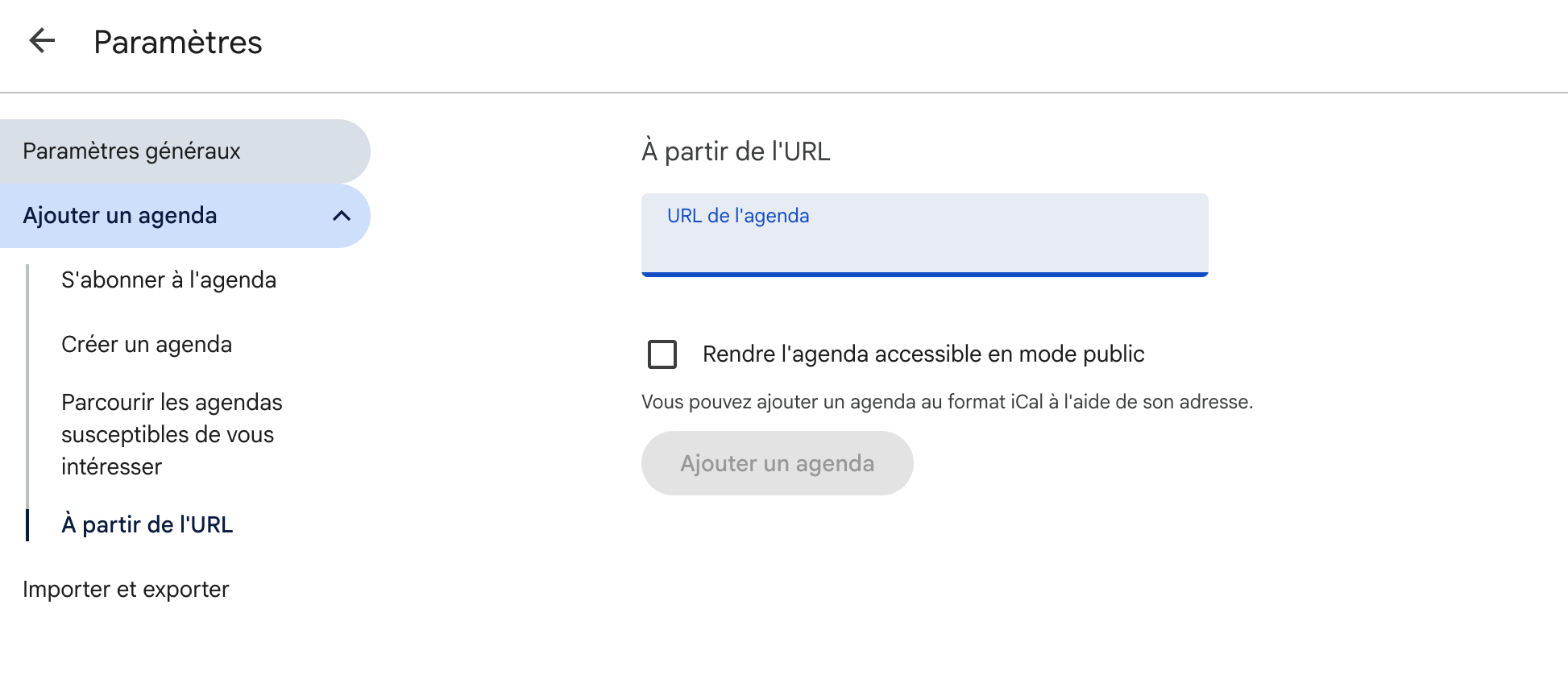
A new GuideMate calendar appears in your list. Activities load within a few seconds.
On iPhone:
On Mac:
Google Calendar refreshes subscribed feeds approximately every 24 hours. An activity created in the morning in GuideMate may therefore appear in your Google Calendar the next day.
For an immediate update, Apple Calendar lets you force a refresh: Calendar → Refresh All Calendars.
If your URL is compromised, you can generate a new one from the Integrations screen → Regenerate link. The old URL stops working immediately.
Want to try? GuideMate is free to start — no credit card, no time limit. Data hosted in Europe.
GuideMate est gratuit pour commencer. Aucune limite de durée.
Commencer gratuitementExport your Google contacts as a CSV file and import them into GuideMate in a few clicks. The dedicated flow automatically recognises your Google labels and creates tags in the app.
Exportez vos contacts Google au format CSV et importez-les dans GuideMate en quelques clics. Le flux dédié reconnaît automatiquement vos libellés Google pour créer des étiquettes dans l'application.